A digital office.
That does the work.
nAvI brings people and AI colleagues together in a shared organisation chart. Every employee has their own project manager, Yavanna, and builds a digital team to carry out tasks and follow up projects.
As CEO, you get an overview of teams, responsibilities and progress across the business. This helps you prioritise, follow up and get more done, while your organisation sets the goals and permissions.
Your own application · Local storage · Local and cloud modelsEmployees build teams.
Leaders see the whole picture.
Every employee has their own Yavanna and AI team. The CEO has the same setup, with an overview of the organisation. Open a person’s card to explore their team.

Yavanna delegates the work. People set the goals and permissions. Profile symbols show working style, not access rights.
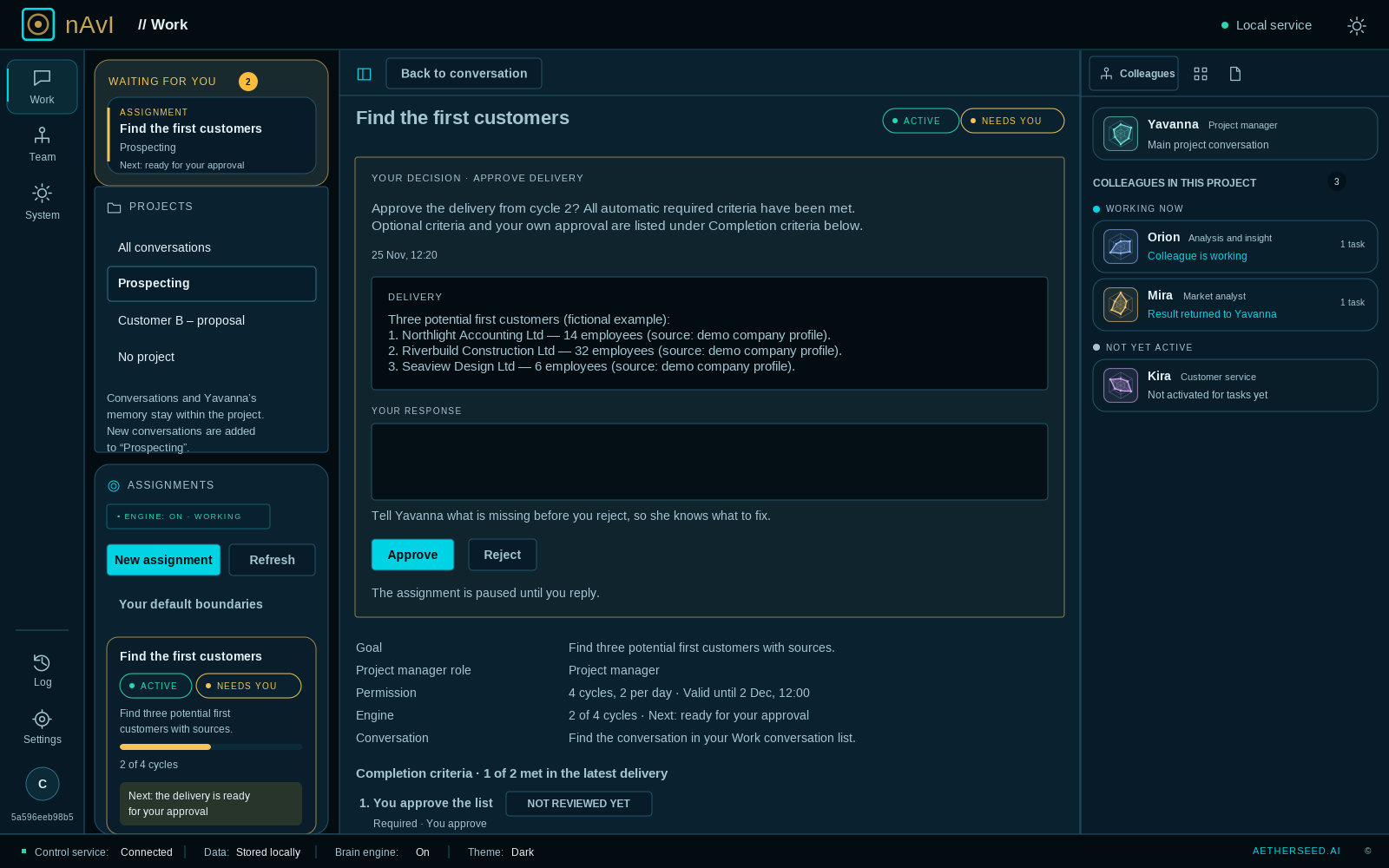
From assignment to shortlist
See who Yavanna chooses, where you track the work, and what you get to review.
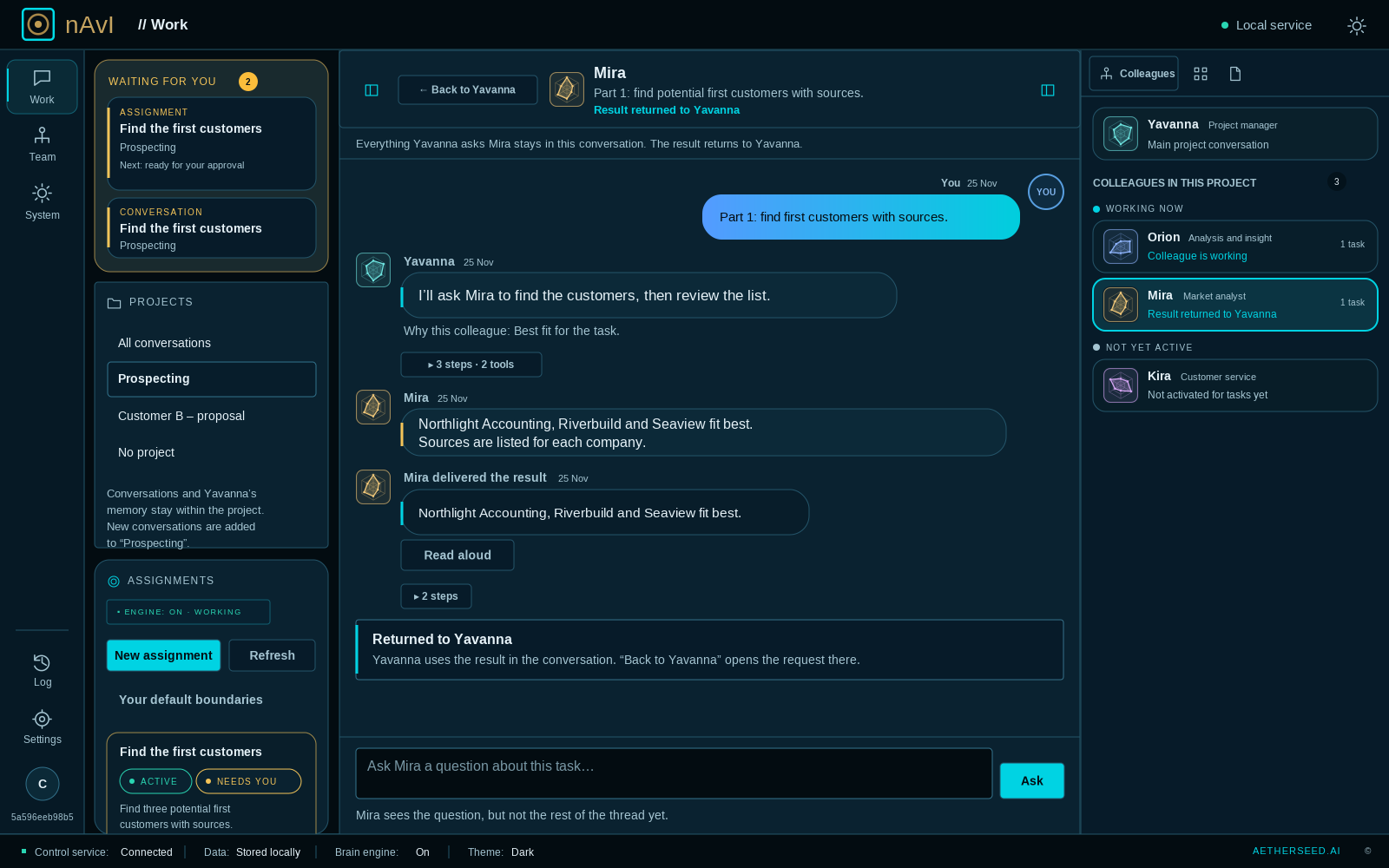
Yavanna chooses the colleague
Yavanna assigns the task to Mira, a market analyst. Follow the assignment in Mira’s thread and see the result return to Yavanna for review.
Open full-size view ↗Ready for your decision
Set the goal, success criteria and number of work cycles. The Brain Engine follows up within the authority you grant. When the shortlist is ready, review company names, employee counts and listed sources. Approve the result or ask for a revision.
Open full-size view ↗Build a team for the work
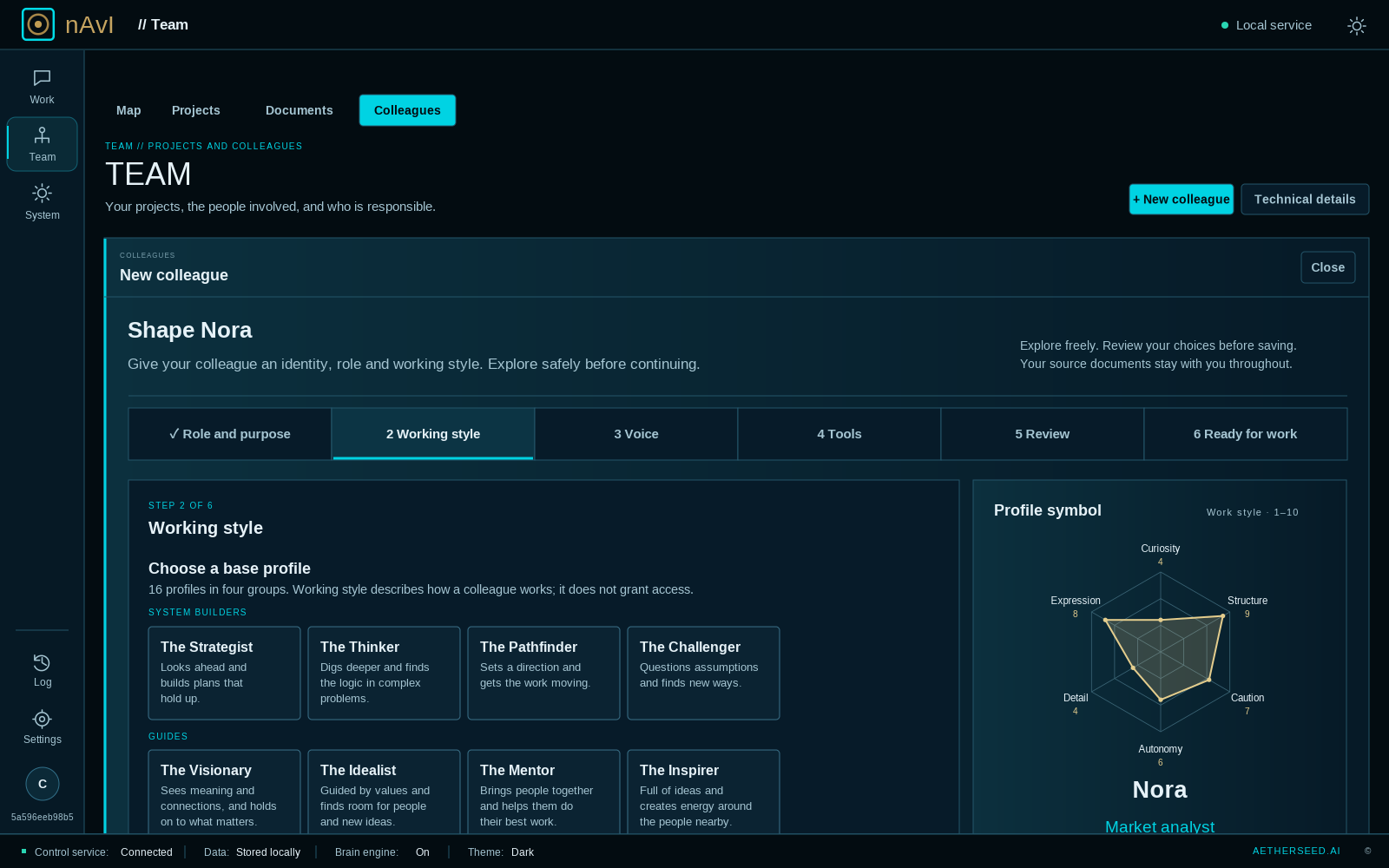
Every employee can build teams for their work in the organisation view. Give AI colleagues roles, skills and a working style. Profile symbols show their working style, while permissions determine which tools they can use.
Open full-size view ↗Talk to Yavanna while you work
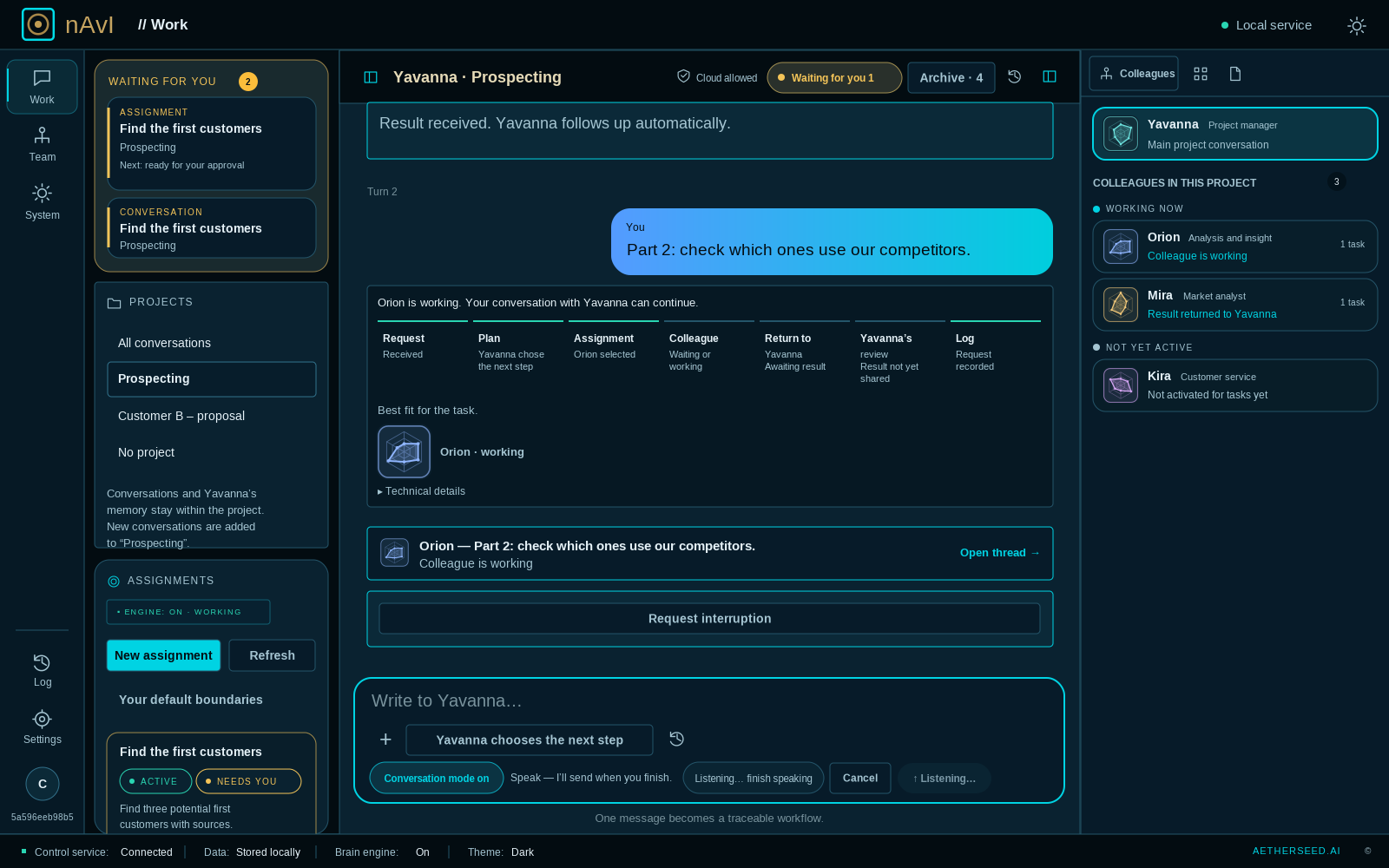
Dictate locally or use conversation mode when you want to speak hands-free. You can listen to the reply and continue in the same thread.
Open full-size view ↗Local or cloud. You choose.
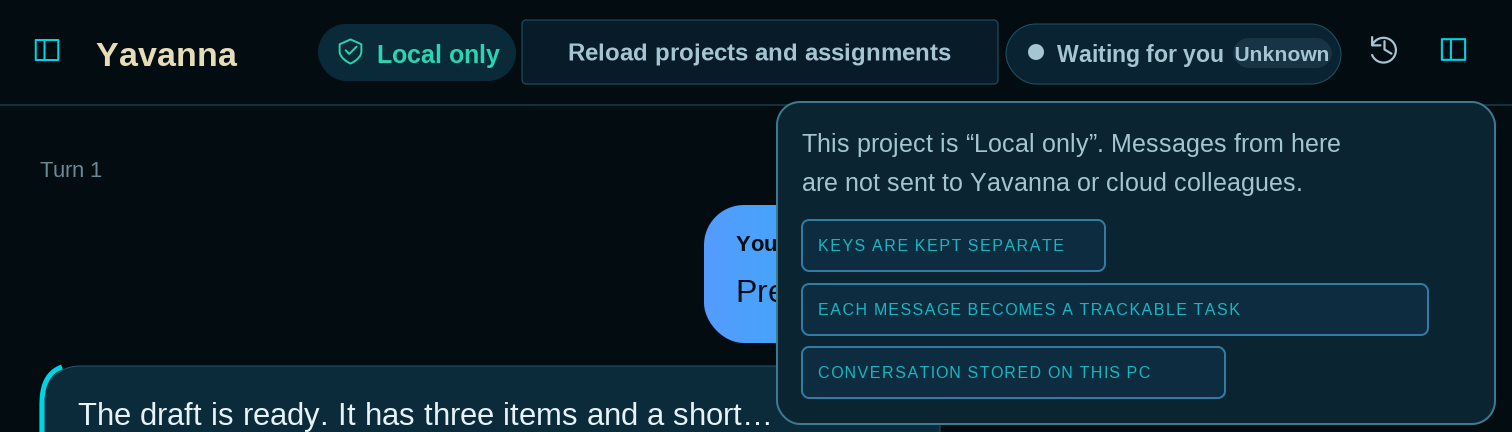
Projects and conversations are stored on your PC. Choose “Cloud allowed” for work that can use cloud models, or “Local only” for work that must stay on the machine with a local model. The data zone controls what nAvI sends from the project.
See how ARC connects models ↗See nAvI in action
A short product video about teams, assignments and follow-up.
Request free access and we’ll get in touch about getting started.